Stylist Shopify theme
Stylist is a Shopify theme by Xotiny for beauty services, spas, sweet shops and smart home stores. Stylist has four presets and includes customer accounts, a quick order list and Shopify Plus quantity pricing.
- $280 USD · one-time, on the Shopify Theme Store
Who Stylist is built for
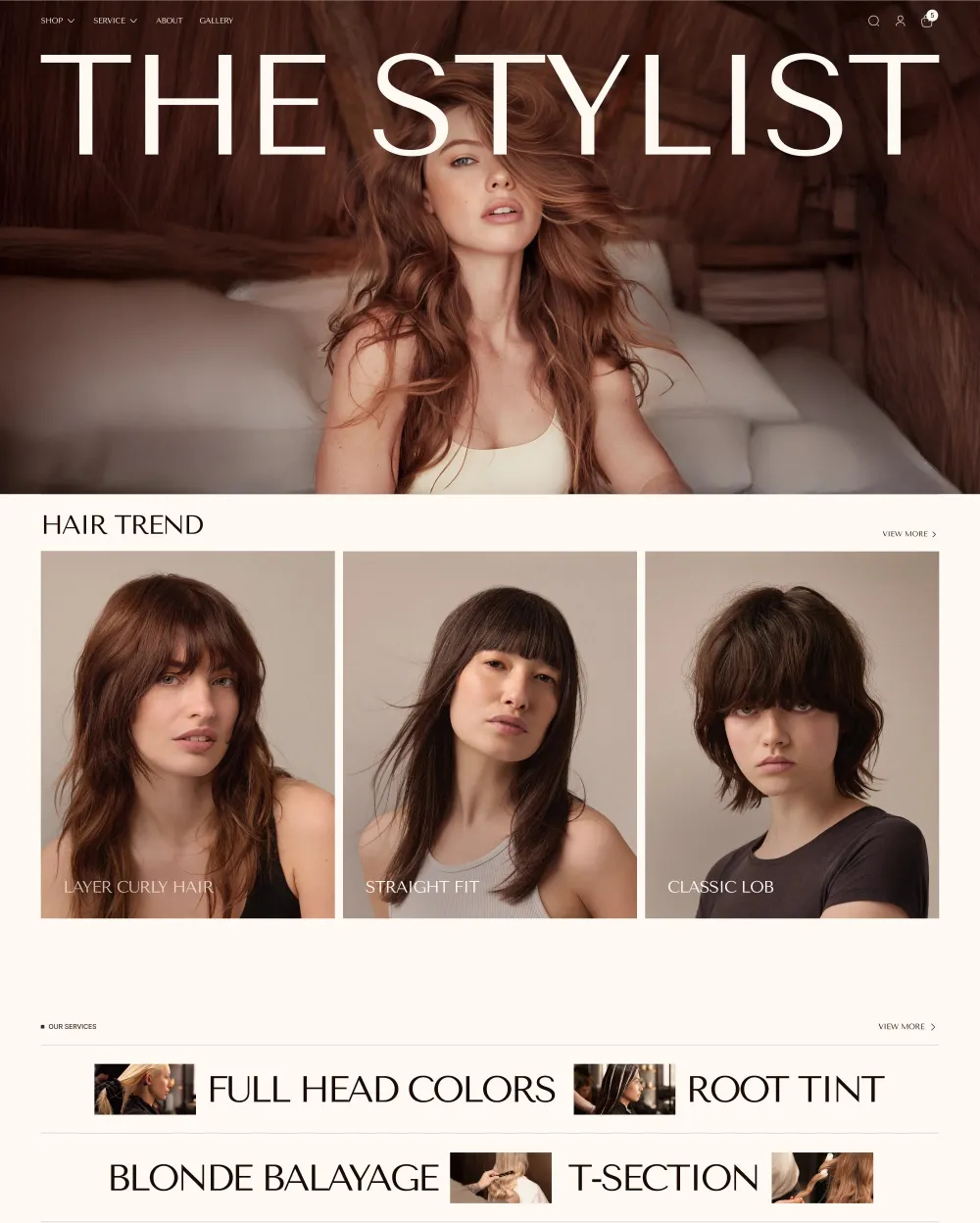
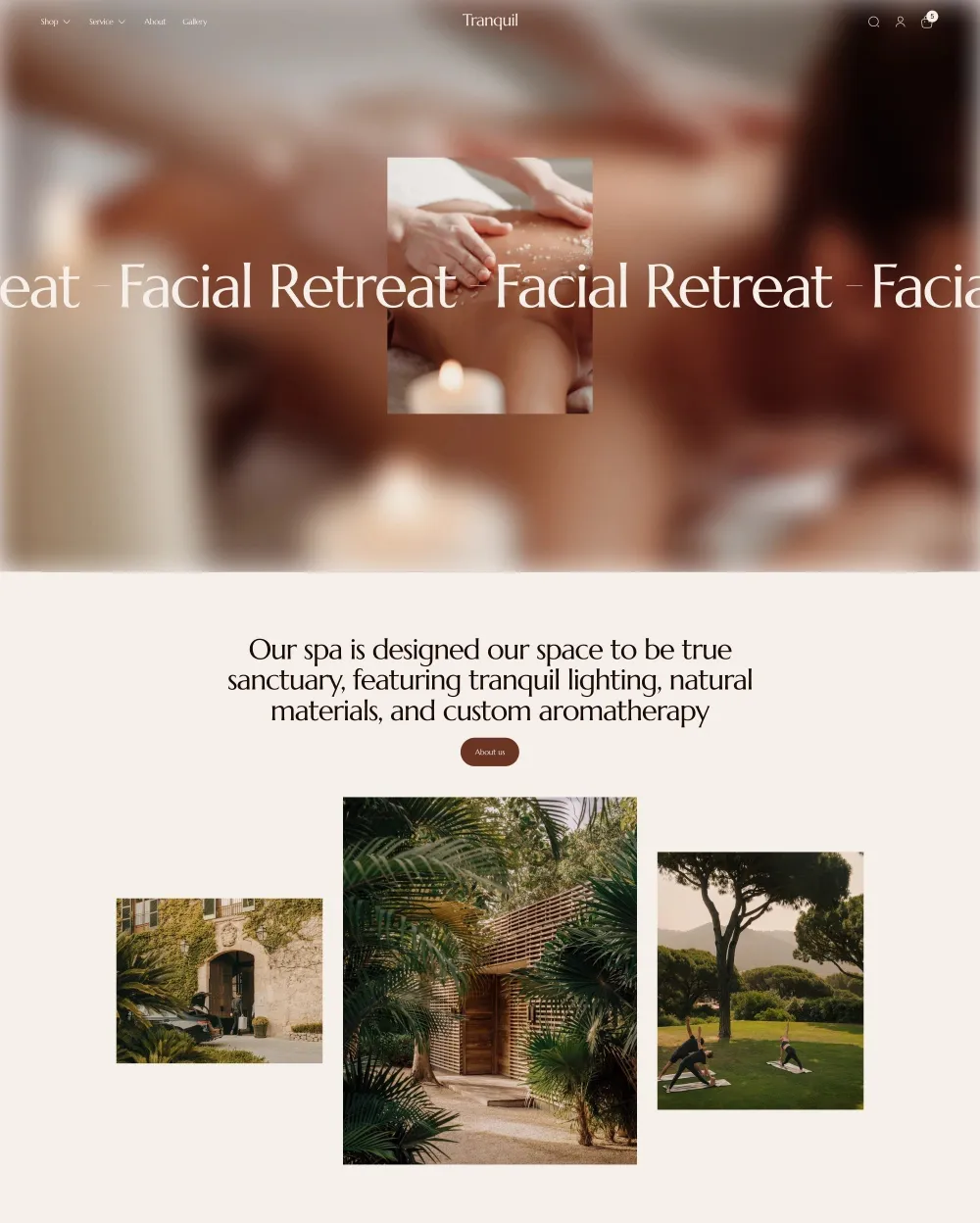
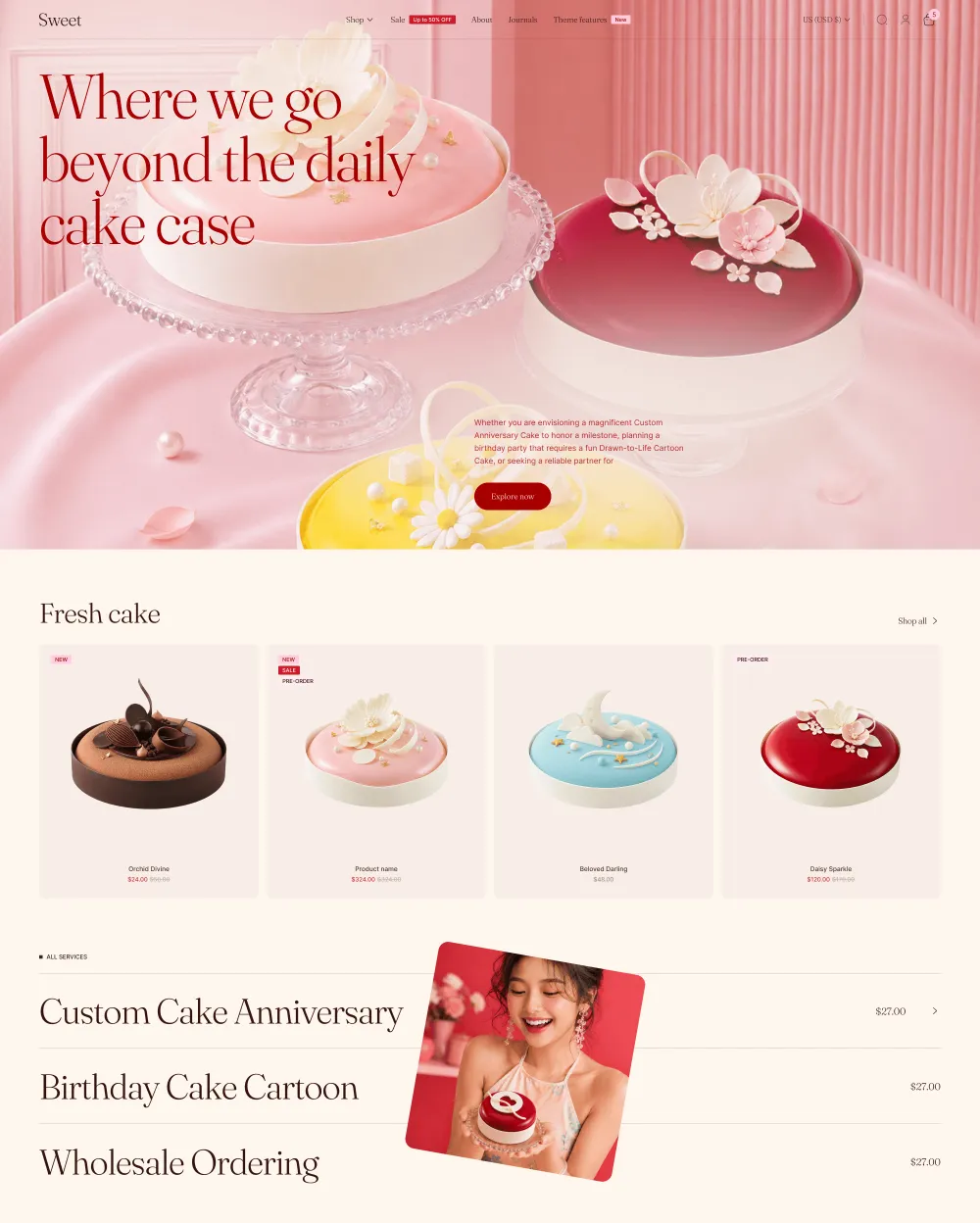
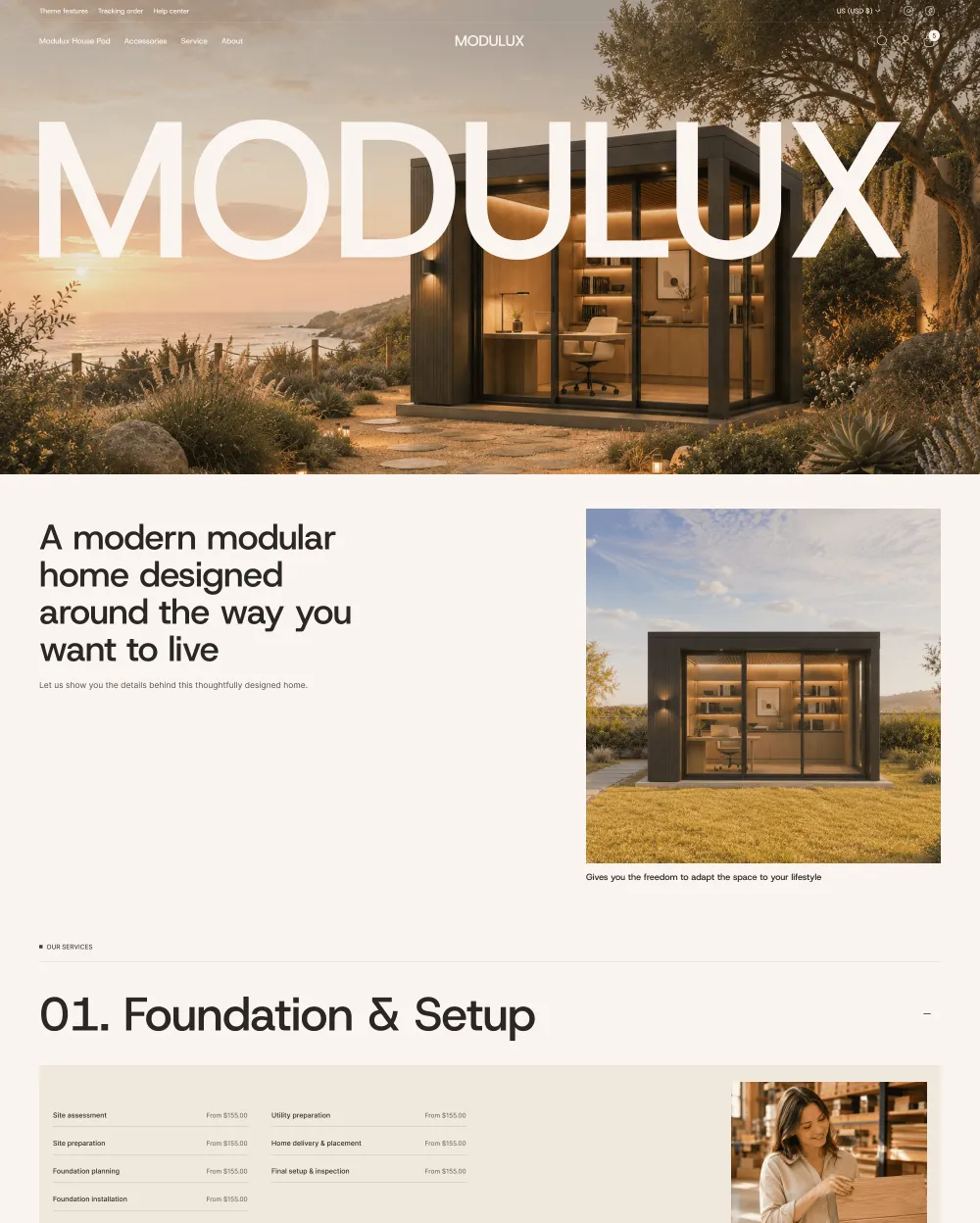
Stylist is a Shopify theme by Xotiny for services, wellness, food and drink, and home stores. Stylist has four presets: Stylist for beauty services, Tranquil for spas in wellness, Gateau for sweet shops in food and drink, and Modulux for smart home stores. Stylist includes customer accounts and sign-in, a quick order list, a size chart, ingredients or nutritional information, an age verifier and trust badges. Stylist supports Shopify Plus quantity pricing and combined listings and includes translations for English, French, Italian, German and Spanish.
- Rearrange, customize and create your own layouts.
- Optimized code and asset loading for every device.
- Built to work with any number of products, with a mobile-ready design.
Stylist presets
Stylist has 4 presets. A preset is a starting design; every preset has the same sections and settings.
What you get
Accounts and sign-in
- Customer accounts and sign-in
- Account menu
- Sign in with Shop
Product information
- Ingredients or nutritional information
- Size chart
- Product tabs
- Shipping/delivery information
Visual storytelling
- Lookbooks
- Before/after image slider
- Image galleries
- Product videos
- Animation
Trust and compliance
- Trust badges
- Age verifier
- Press coverage
- FAQ page
Urgency and promotions
- Countdown timer
- Stock counter
- Promo tiles
- Promo popups
- In-menu promos
- Cross-selling
Ordering and Shopify Plus
- Quick order list
- Sticky cart
- In-store pickups
- Quantity pricing (Shopify Plus)
- Combined listing (Shopify Plus)
Browsing
- Infinite scroll
- Collection page navigation
- Swatch filters
- Recently viewed
- Back-to-top button
Content and languages
- Blogs
- EU translations (EN, FR, IT, DE, ES)
Stylist FAQ
Docs and updates
Stylist 1.1.1
Released
Design refinements across the main homepage layouts of the Modulux demo. Bug fix: the Buttons variant setting in the theme settings now styles buttons as expected.
Setup guides and section references for Stylist are on the Xotiny docs site.
docs.xotiny.com/themes/stylist/Facts checked on
Related articles about Stylist
The Best Shopify Theme for Wellness Products, Compared
How to pick the best Shopify theme for wellness products: features to check, when a free theme is enough, and five free and paid themes compared fairly.
How to Pick a Shopify Theme for Beauty Products
What a Shopify theme for beauty products needs: ingredients, shades, before/after images. Free and paid options compared, plus who should skip each.
Shopify Themes for Home Decor and Furniture: Free and Paid
Free and paid Shopify themes for home decor and furniture stores, compared on shoppable room photos, swatches and product tabs, with who should skip each.
Best Shopify themes for a service business
Compare six free and paid Shopify themes for a service business, with guidance on quote requests, expert profiles, portfolios, and booking integrations.
Start your store with Stylist
Try Stylist free in your store and pay only when you publish it. Questions before or after you buy? Visit theme support or contact us.