Free vs paid Shopify themes: when is upgrading worth it?

When comparing free vs paid Shopify themes, start with a concrete question: what does your store need that its current theme cannot do? This guide compares the work, support, and total cost behind three choices: keep a free theme, buy a paid theme, or add a tool for a specific customization.
Short answer: Keep your free theme if it handles your required shopping experience and you can maintain it comfortably. Consider a paid theme when its built-in features solve named problems at an acceptable total cost. A paid price tag alone is no evidence of faster pages or higher revenue.
Disclosure: Xotiny sells Shopify themes, including Line, and makes XO Builder. Both appear below, with the same requirements and cost checks applied to them as to Shopify's free Dawn theme.
Write down three must-have requirements before opening another demo. Describe what a shopper or store editor needs to do, such as preview a product from a collection or publish a campaign page. Keep visual preferences separate from requirements that would prevent launch.
Judge every option on four criteria: required features, customization work, support, and total cost. Shopify's choosing themes guide lets you search by feature; use that to build a shortlist, then check the actual behavior in a preview.
The table uses a small beauty store as an example. Its starting requirements are ingredient information, product discovery, and manageable editing. Treat the recommendations as a decision framework for your own catalog.
| Decision | Keep Dawn | Consider Line | What to verify |
|---|---|---|---|
| Show ingredients and product videos | Both features are listed | Both features are listed | Can you present your actual content clearly? |
| Organize browsing | Mega menu and product filtering are listed | Mega menu and product filtering are listed | Try your menu structure and filter choices |
| Add quick view and a sticky cart | Neither is listed; investigate a separate solution | Both are listed | Does the included behavior meet your exact requirement? |
| Customize the design | Check existing settings before adding tools | Check whether the starting layout reduces your work | Rebuild one representative page with your own assets |
| Get help | Shopify support, with customization limits | Theme developer support | Separate troubleshooting from commissioned changes |
| Compare total cost | Setup, any apps, custom work, and maintenance | Theme purchase plus setup, any remaining apps, custom work, and maintenance | Price the same scope over the same period |
Feature entries come from the Dawn listing and Line listing, checked October 19, 2026. “Not listed” is a reason to investigate, not proof that a feature is impossible to add.
A free theme is a sensible choice when you can meet your requirements without a growing list of workarounds. There is no need to replace it just because your store has launched or your sales have increased.
Keep it when:
For the example beauty store, ingredients information alone does not justify an upgrade: both candidates list it. Ask whether the presentation meets your needs before paying for a different implementation.
Free starting point for the comparison
Dawn's listing emphasizes product imagery and design settings that do not require code. Start here if its layout suits your catalog and your required features are already covered. Include the time to configure it and any additional tools in your budget.
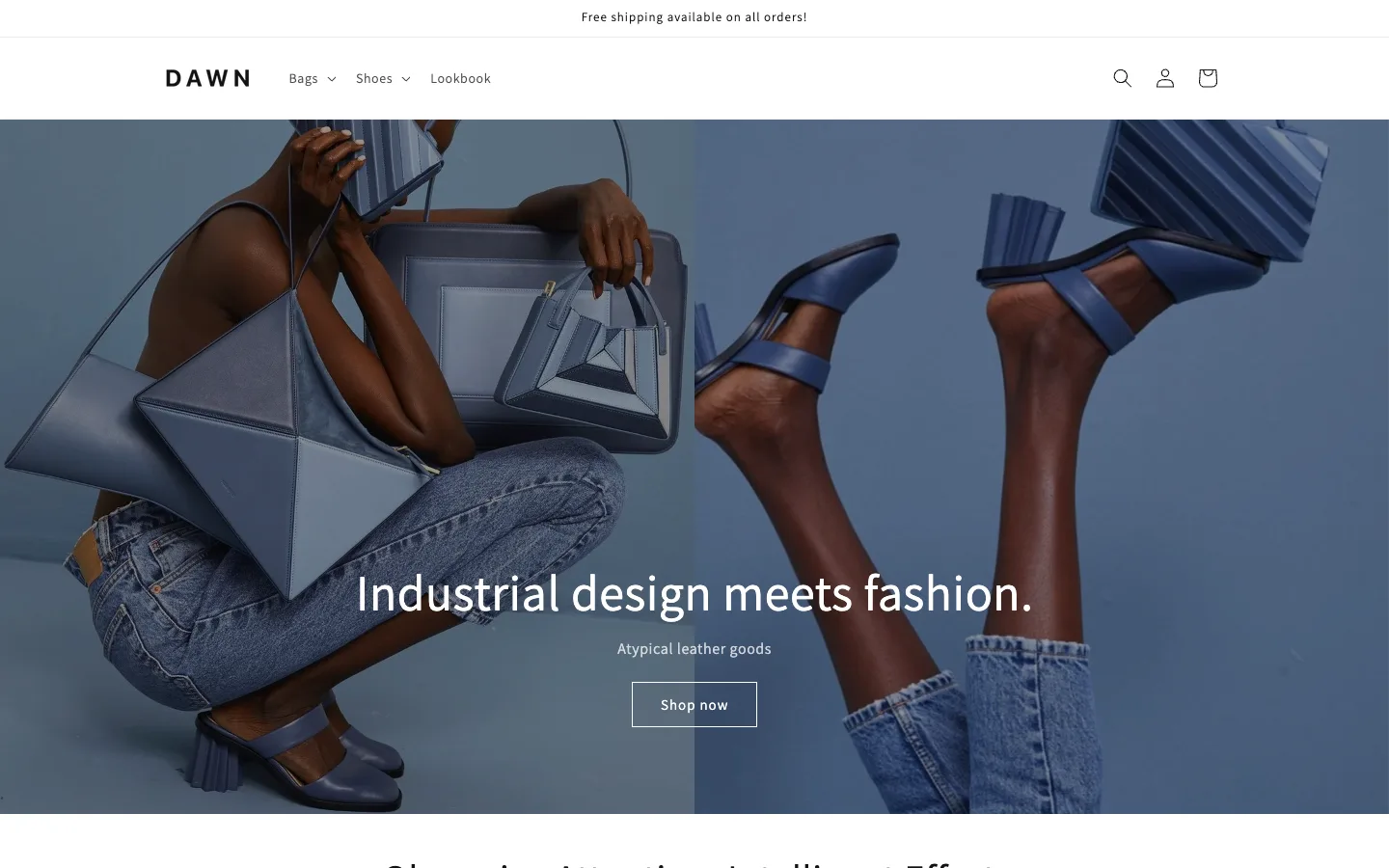
Support comes from Shopify, subject to the limits below. That makes Dawn a candidate for a merchant who wants to use the available settings and keep customization modest.
Skip it if your must-have experience needs extensive work beyond the available settings and another theme demonstrably covers that work within your budget.
A paid theme is worth considering when you can connect its features to work you would otherwise need to commission or maintain. Make the case requirement by requirement. A longer feature list has little value if you will use none of the additions.
For example, suppose your launch requires quick view and a sticky cart. Preview the paid candidate's implementation, then compare it with the cost and effort of adding those behaviors to your current theme. If an existing app does more than the theme feature, do not count its entire subscription as a saving.
Paid candidate for a beauty storefront
Line is positioned for beauty stores and lists quick view, a sticky cart, and promo popups. Consider it when those are requirements and its layout fits your products. You still need to configure the storefront and check any remaining app needs.
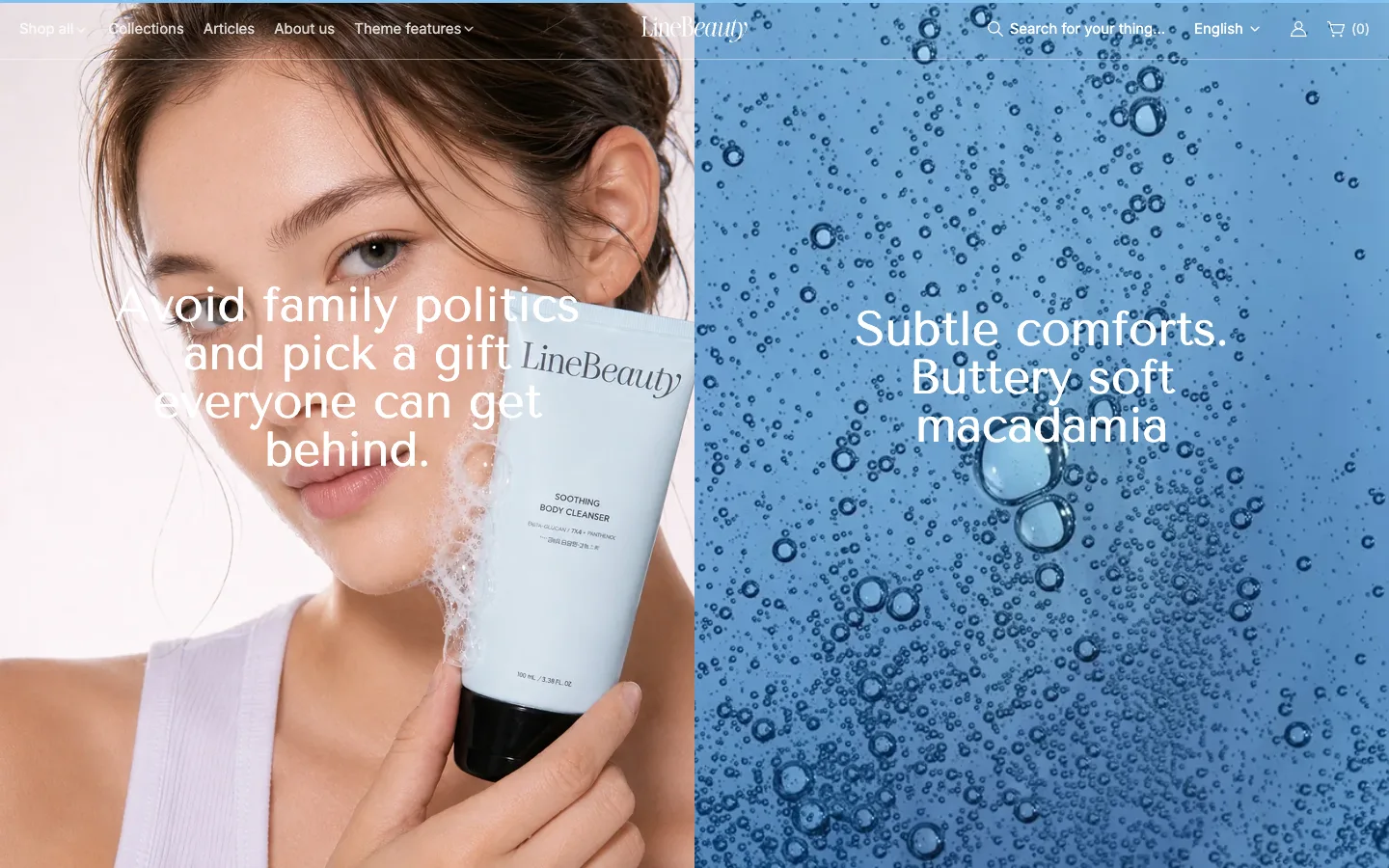
Its listing directs support to Xotiny. Ask through theme support whether your specific request is covered before including support in the value calculation.
Skip it if Dawn already covers your requirements, or the layout would need substantial custom work to suit your brand.
Evaluate the purchase as a package of design, features, support, and updates. Shopify explains that paid themes are made by third-party developers, who provide general support and updates. The Theme Store describes the purchase as a one-time payment for a store license. Shopify's purchase guide explains licensing and the buying process.
That package can be useful, but it does not tell you how much work it saves your store. Ask for a quote for any missing behavior and compare the complete alternatives. Avoid treating a premium label as a performance benchmark or a promise of sales.
If the shopping experience already works and the gap is a campaign page or a reusable content section, evaluate that task separately. A section is an editable part of a page, such as an image-and-text area. First check whether the theme's existing sections can do the job.
Optional route for specific page and section work
XO Builder provides a visual editor for pages, sections, and mega menus. Its Free plan allows five saved pages with two published, plus five saved sections with two published. That makes one campaign page a reasonable use case to assess.
For three simultaneous campaign pages, that published-page allowance is insufficient. Basic lists ten published pages, ten published sections, and two published mega menus; evaluate its recurring cost. Pro lists creation as unlimited but caps live pages and live sections at 100 each. Check the current plan details against your publishing needs.
The listing offers live chat support. Include the time to learn the editor and maintain the content, as well as any subscription, in your comparison. The XO Builder overview explains the editing approach.
Skip it if your existing sections already solve the task, or your main requirement is a different cart or browsing experience. Page-building features alone do not establish that it can replace the theme behavior you need.

Use a worksheet covering the next year. Get current theme pricing from the product card or listing, app charges from the applicable plan, and custom work from an actual quote. Check whether subscriptions use annual or 30-day billing; calculate charges for your chosen dates.
Total cost = theme purchase + setup work + app charges + custom development + ongoing maintenance.
For keeping a theme you already own, compare future costs; do not count a past purchase again. Give your own time a value too. Record an estimate of hours and use the same hourly value for every option.
| Route | Costs to enter | Check before choosing |
|---|---|---|
| Keep the free theme | Setup hours, required apps, custom work, upkeep | Is every must-have covered? |
| Buy the paid theme | Purchase, rebuilding hours, remaining apps, custom work, upkeep | Which work and subscriptions does it actually remove? |
| Keep the theme and add a builder | Applicable plan charges, editor setup, other apps, upkeep | Does it solve the specific page task within the publication limits? |
For one campaign page within the builder's free allowance, compare editing effort with using existing theme sections. For several live campaigns requiring a paid plan, include its recurring charges across the whole period. Neither scenario proves that a builder replaces a theme purchase: they may solve different requirements.
Keep the same Shopify plan and unrelated operating costs on both sides unless the proposed change affects them. Do not subtract an app expense until you have confirmed that the replacement covers everything you use it for.
Shopify's theme support policy distinguishes help with a theme from extensive customization. For free Shopify themes on Basic or higher, eligible predefined customizations can receive up to 60 minutes of design support, tracked in 15-minute increments. Eligibility is assessed case by case; arbitrary code changes are excluded.
For a paid theme, contact its developer. Do not budget on the assumption that buying a theme includes bespoke development or unlimited design changes. Ask what help covers your request, what needs a separate quote, and who will maintain the result.
Shopify lets you try a paid theme with your products and customize its settings before buying. You cannot edit its code during the trial, and purchasing is required before publishing. Purchases are final sale, so use the theme trial to resolve your requirements first.
If switching wins that comparison, follow the separate guide to changing a Shopify theme without losing content for migration steps.
If Line matches your shortlist, try its demo and theme preview against those same requirements before buying.